Set up in ChatGPT
Adding Propush MCP to ChatGPT lets the assistant work with your Propush sites, zones, balance, and statistics directly in chat. Custom MCP servers live in Settings → Plugins: add the server URL, sign in with your Propush account, restart — done.
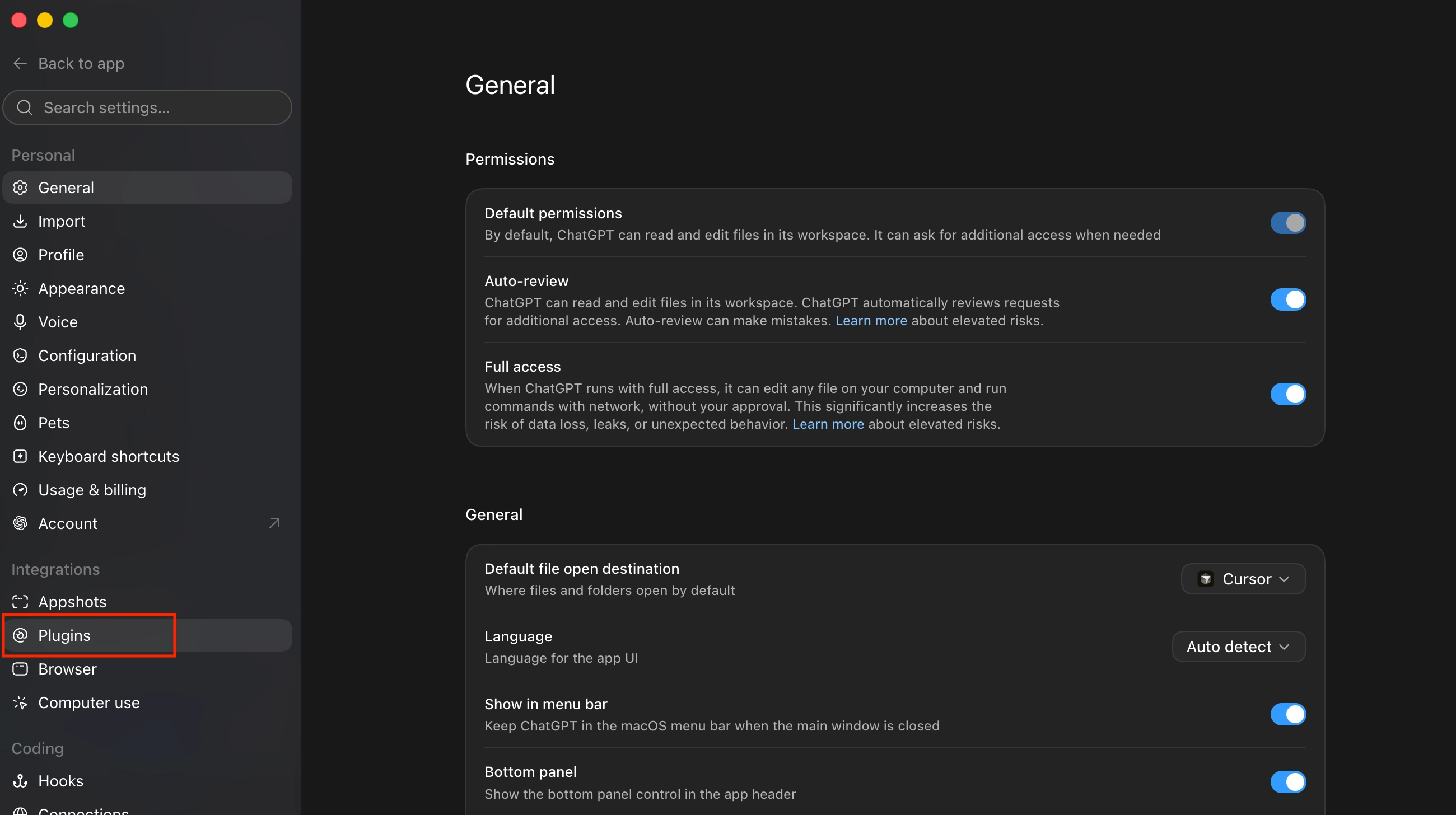
Open ChatGPT Settings and select Plugins in the sidebar, under Integrations.
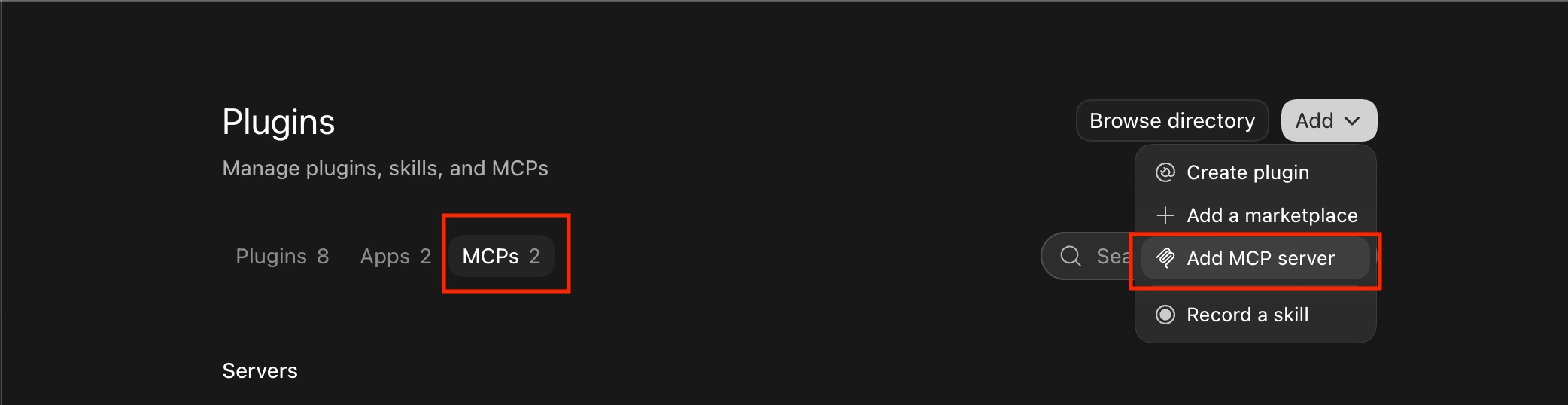
Switch to the MCPs tab, click Add in the top-right corner, then choose Add MCP server.
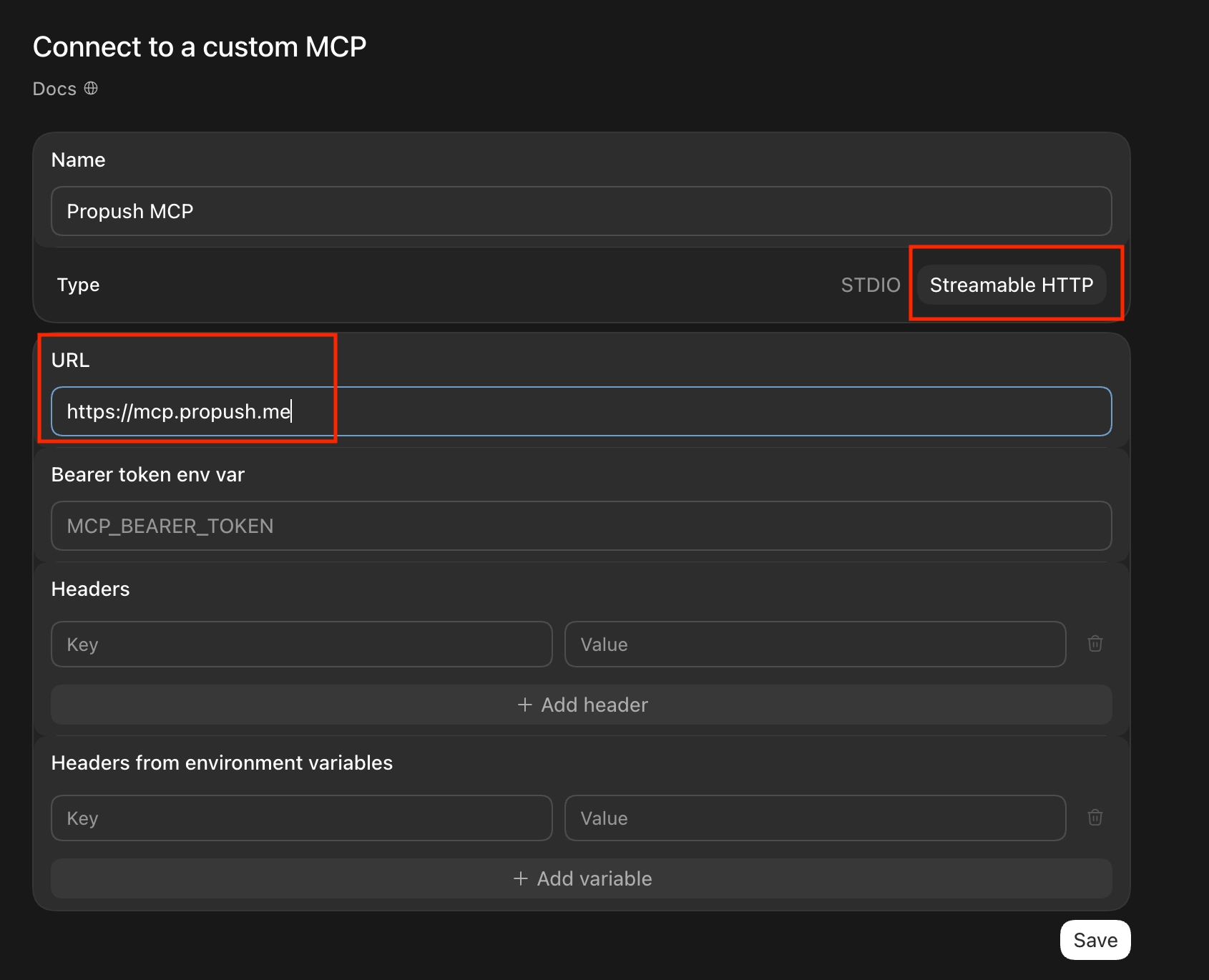
Fill in the form:
- Name:
Propush MCP - Type:
Streamable HTTP - URL:
https://mcp.propush.me - Leave the token, header, and variable fields empty
- Name:
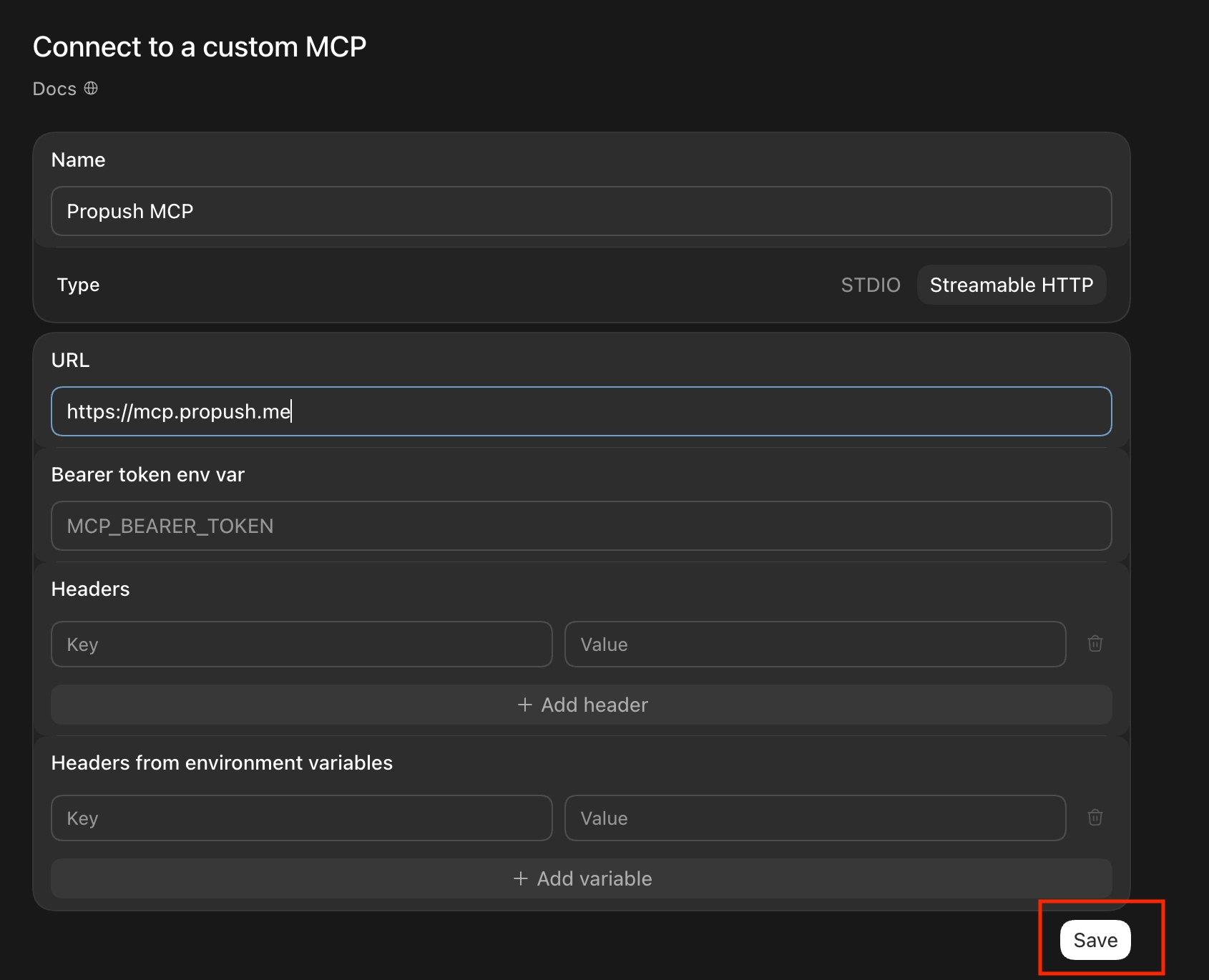
Click Save.
Click Authenticate next to the new server. You'll be taken to the Propush site — sign in with your usual credentials.

Click Restart so the changes take effect. The MCP tools are then available in your chats.
